
10° [B]
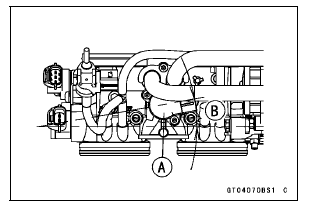
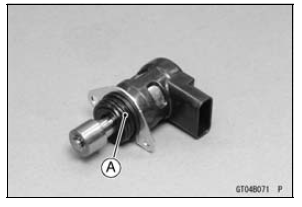
If the idle speed control valve actuator is replaced, be sure to do the following procedures.
Turn the ignition switch to ON.
Turn the ignition switch to OFF, and wait for 2 or 3 seconds.
Inspect the idle speed (see Idle Speed Inspection in the Periodic Maintenance chapter).
 Idle Speed Control Valve Actuator Removal
 Idle Speed Control Valve Actuator Resistance Inspection
Connecting Rod Installation
NOTICE
To minimize vibration, the connecting rods should
have the same weight mark.
Big End Cap [A]
Connecting Rod [B]
Weight Mark, Alphabet [C]
Diameter Mark [D] (“� or No Mark)
NOTICE
If the connecting rods, big end bearing inserts, or
crankshaft are replaced with new ones, select ...
For Secondary Fuel Injectors
Remove the fuel tank (see Fuel Tank Removal).
Disconnect the secondary fuel injector connector [A].
Connect a digitalmeter to the terminals in each secondary
fuel injector [A].
Measure the secondary fuel injector resistance.
Secondary Fuel Injector Resistance
Standard: Abo ...
ECU Communication Error (Service Code 39)
ECU Communication Line Inspection
When the data is not sent from the ECU to the meter unit
for more than about 10 seconds, the service code 39 is
displayed.
The data is sent through the CAN communication line.
The service code 39 is detected with the meter unit.
When the user mode, this commun ...