
NOTICE
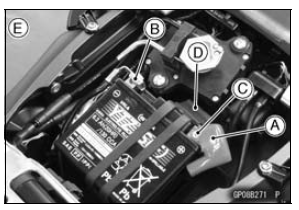
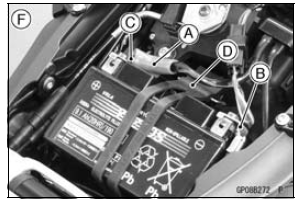
Be sure to disconnect the negative (–) cable first.
ZX1000J Model [E] ZX1000K Model [F]
 Battery
 Battery Installation
KIBS Hydraulic Unit Removal
NOTICE
The KIBS hydraulic unit [A] has been adjusted
and set with precision at the factory. Therefore, it
should be handled carefully, never struck sharply,
as with a hammer, or allowed to fall on a hard
surface.
Be careful not to get water or mud on the KIBS hydraulic
unit.
Drain the b ...
Special Tools
Bearing Puller:
57001-135
Head Pipe Outer Race Press Shaft:
57001-1075
Steering Stem Nut Wrench:
57001-1100
Bearing Driver Set:
57001-1129
Steering Stem Bearing Driver, 42.5:
57001-1344
Steering Stem Bearing Driver Adapter,
41.5:
57001-1345
Head Pipe Outer Race Driver, 55:
57001- ...
Diode Circuit Inspection
Remove the relay box (see Relay Box Removal).
Check conductivity of the following pairs of terminals (see
Relay Box Internal Circuit in this section).
Diode Circuit Inspection
The resistance should be low in one direction and more
than 10 times as much in the other direction. If any dio ...