
Left Side Collar [A] Right Side Collar [B] (with Flange)
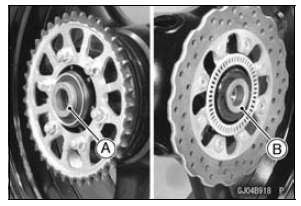
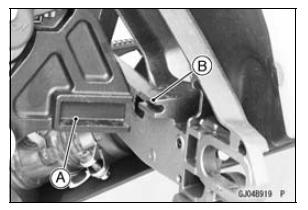
NOTE
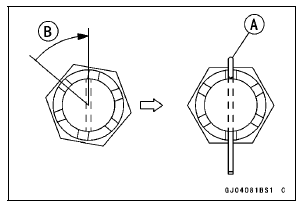
| WARNING A loose axle nut can lead to an accident resulting in serious injury or death. Tighten the axle nut to the proper torque and install a new cotter pin. |
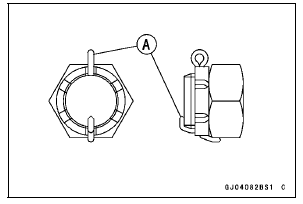
| WARNING After servicing, it takes several applications of the brake pedal before the brake pads contact the disc, which could result in increased stopping distance and cause an accident resulting in injury or death. Do not attempt to ride the motorcycle until a firm brake pedal is obtained by pumping the pedal until the pads are against the disc. |
 Rear Wheel Removal
 Wheel Inspection
Battery Removal
Remove the rider’s seat (see Seats
section in the GENERAL INFORMATION
chapter).
Turn the ignition switch to “OFF� and
disconnect the (–) cable from the battery.
Remove the red cap form the (+) terminal,
and disconnect the (+) cables
from the battery.
NOTE
The battery is ...
Rear Shock Absorber Inspection
Press down on the seat several times
to inspect the stroke.
Visually inspect the rear shock absorber
for oil leaks.
If there is any doubt about the rear
shock absorber, it should be inspected
by an authorized Kawasaki
dealer.
A. Rear Shock Absorber
Spring Preload Adjustment
...
Oil Level Inspection
Check that the engine oil level is between the upper [A]
and lower [B] levels in the gauge.
NOTE
Situate the motorcycle so that it is perpendicular to the
ground.
If the motorcycle has just been used, wait several minutes
for all the oil to drain down.
If the oil has just been changed, ...