
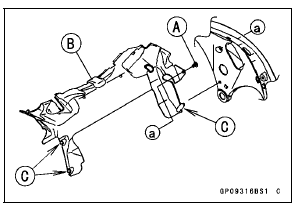
Clear the projections [C] from the main frame.
 Charging System
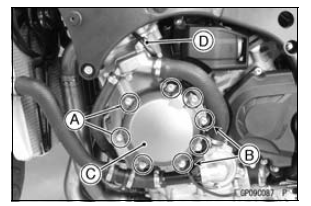
 Alternator Cover Installation
Special Tools and Sealant
Hand Tester:
57001-1394
Flywheel Puller Assembly, M38 × 1.5/M35 × 1.5:
57001-1405
Peak Voltage Adapter:
57001-1415
Lead Wire - Peak Voltage Adapter:
57001-1449
Key Registration Unit:
57001-1582
Grip:
57001-1591
Flywheel & Pulley Holder:
57001-1605
Rotor Holder:
...
Chain Slack Inspection
Set the motorcycle up on its side
stand.
Rotate the rear wheel to find the position
where the chain is tightest, and
measure the maximum chain slack
by pulling up and pushing down the
chain midway between the engine
sprocket and rear wheel sprocket.
A. Chain Slack
If the ...
Tightening Sequence
Generally, when installing a part with several bolts, nuts,
or screws, start them all in their holes and tighten them to
a snug fit. Then tighten them according to the specified sequence
to prevent case warpage or deformation which can
lead to malfunction. Conversely when loosening the bolts,
n ...