
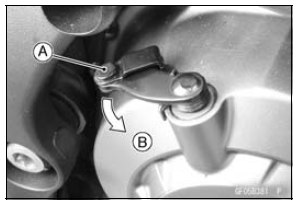
About 90В° [B]
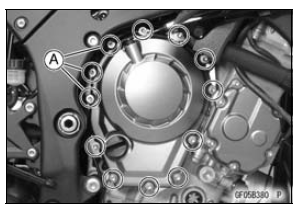
 Clutch Cover
 Clutch Cover Installation
Gear Position Switch Removal
Remove:
Oil Pump (see Oil pump Removal in the Engine Lubrication
System chapter)
Engine Sprocket (see Engine Sprocket Removal in the
Final Drive chapter)
Fuel Tank (see Fuel Tank Removal in the Fuel System
(DFI) chapter)
Disconnect the connector [A].
Remove:
Screws [A]
...
Nozzle Assy Installation
Replace the dust seals [A] with new ones.
Apply engine oil to the new dust seals, and install them.
Install the nozzle assy securely.
Push the four mounting positions of the injectors.
Set the joint pipe parallel to the air cleaner housing [B].
NOTICE
When installing the nozzle assy, ap ...
Hub Bearing Inspection
Since the hub bearings are made to extremely close tolerances,
the clearance can not normally be measured.
NOTE
Do not remove any bearings for inspection. If any bearings
are removed, they will need to be replaced with
new ones.
Turn each bearing in the hub back and forth [A] while
checki ...