
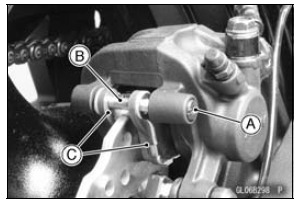
 Front Brake Pad Installation
 Rear Brake Pad Installation
Front Fork
The front fork operation and oil leakage
should be checked in accordance
with the Periodic Maintenance Chart.
For various riding or load conditions
the front fork can be adjusted for:
Spring preload
Rebound damping force
Compression damping force
WARNINGImproper fork leg adju ...
Air Switching Valve Installation
Install the air switching valve [A] with hose [B] as shown
in the figure.
Front [C]
Left Side View [D]
White Paint [E]
Air Switching Valve Operation Test
Refer to the Air Suction System Damage Inspection in the
Periodic Maintenance chapter.
Air Switching Valve Unit Test ...
Location of parts
Clutch Lever
Left Handlebar Switches
Rebound Damping Force Adjuster
(Front Fork)
Compression damping force adjuster
(Front Fork)
Meter Instruments
Brake Fluid Reservoir (Front)
Right Handlebar Switches
Front Brake Lever
Throttle Grip
Ignition Switch/Steering Lock
Elect ...