
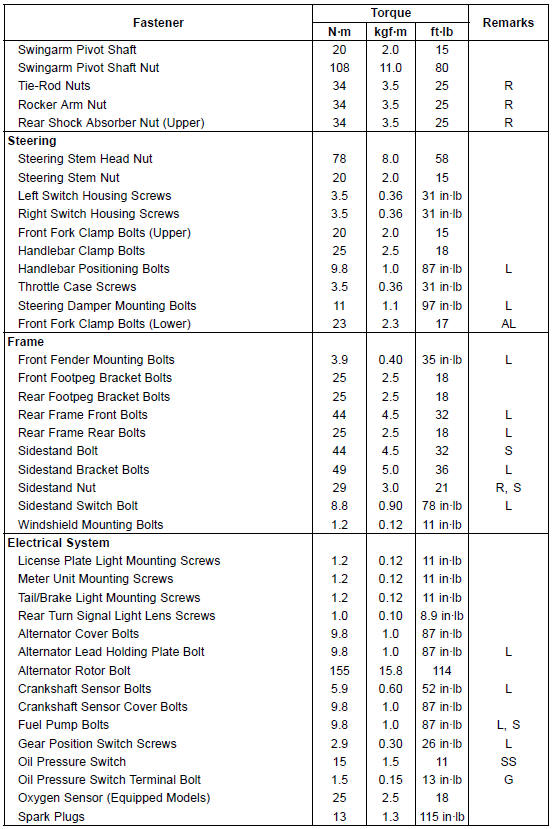
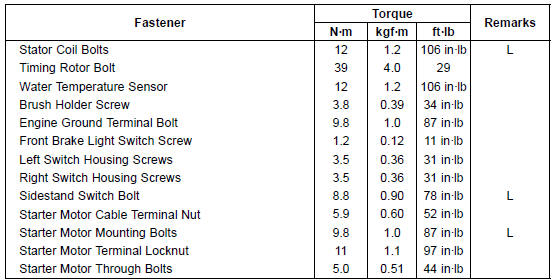
The following tables list the tightening torque for the major fasteners requiring use of a non-permanent locking agent or silicone sealant etc.
Letters used in the “Remarks� column mean: AL: Tighten the two clamp bolts alternately two times to ensure even tightening torque.
G: Apply grease.
L: Apply a non-permanent locking agent.
Lh: Left-hand Threads
MO: Apply molybdenum disulfide oil solution.
(mixture of the engine oil and molybdenum disulfide grease in a weight ratio 10:1)
R: Replacement Parts
S: Follow the specified tightening sequence.
Si: Apply silicone grease (ex. PBC grease).
SS: Apply silicone sealant.
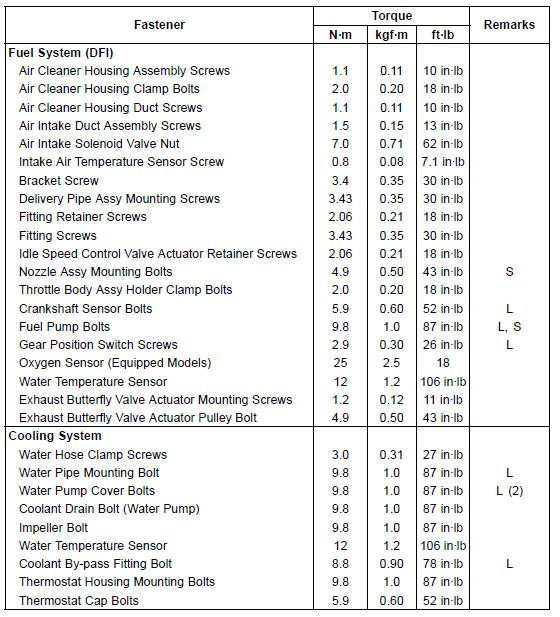
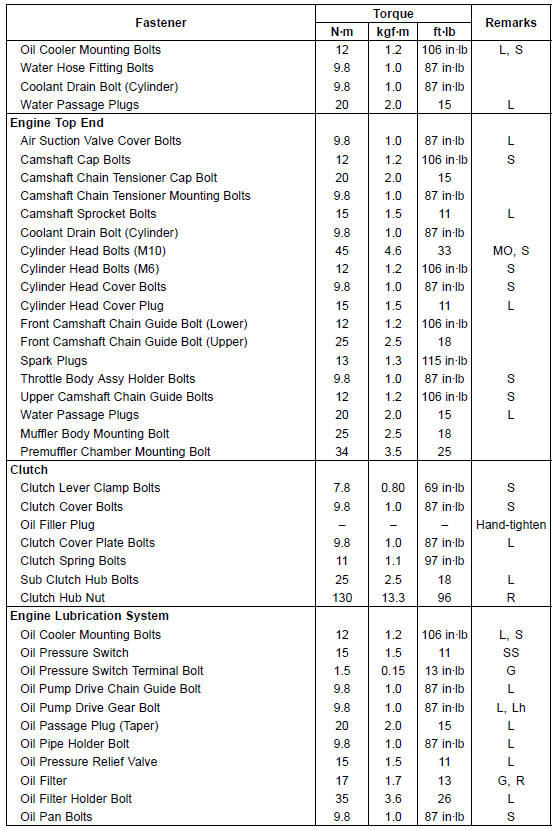
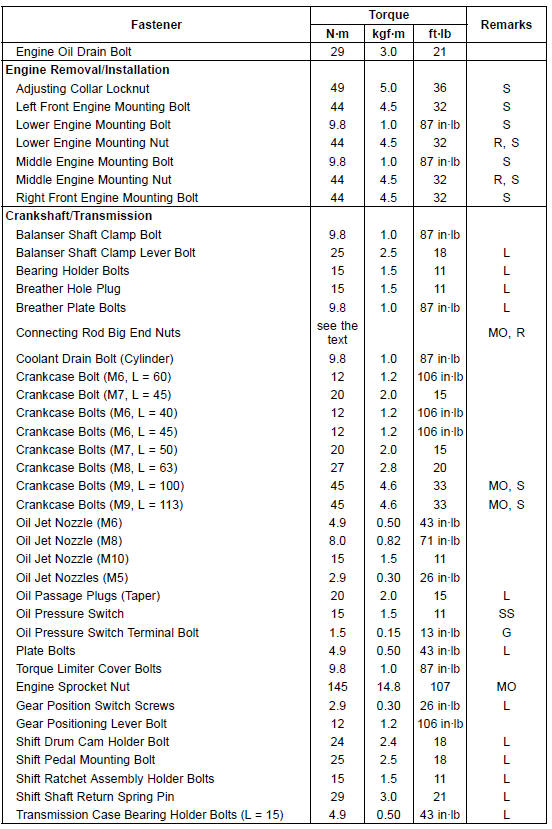
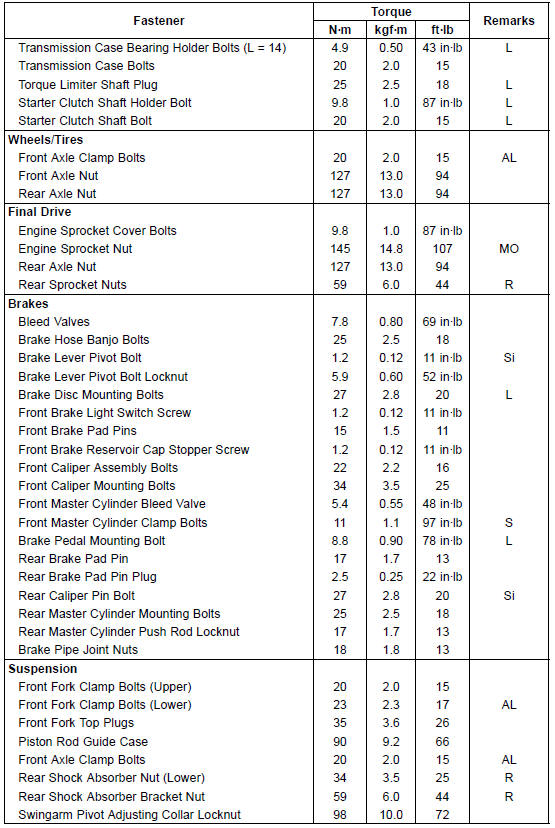
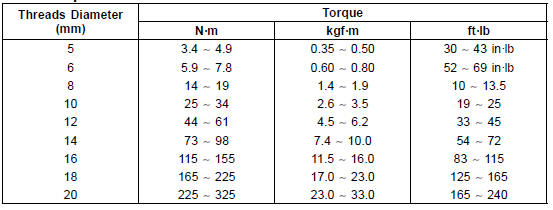
The table below, relating tightening torque to thread diameter, lists the basic torque for the bolts and nuts. Use this table for only the bolts and nuts which do not require a specific torque value. All of the values are for use with dry solvent-cleaned threads.
Basic Torque for General Fasteners
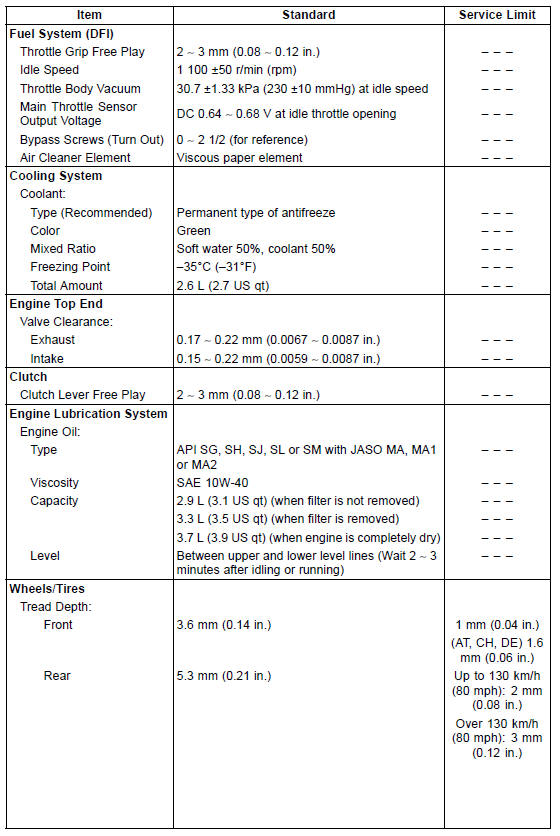
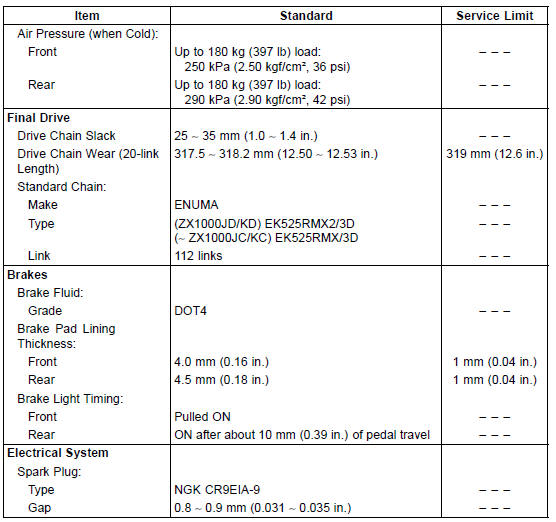
Specifications
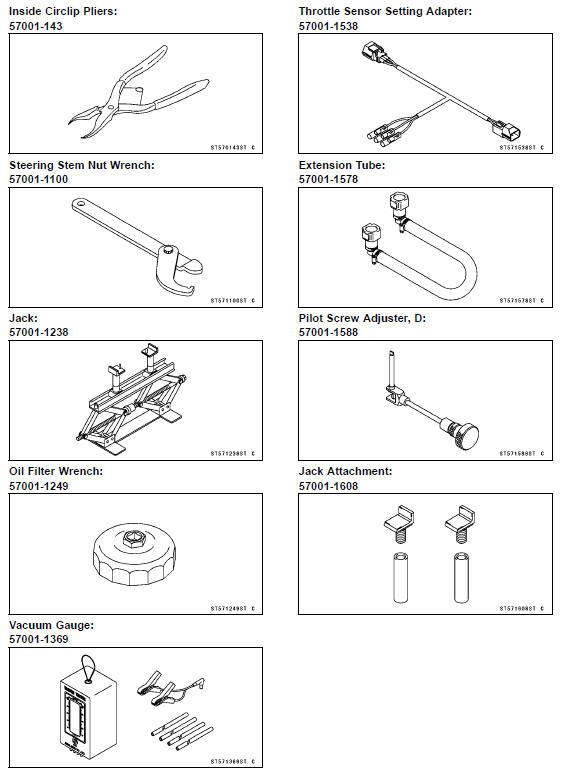
Special Tools
 Periodic Maintenance Chart
Fuel Injector Output Voltage Inspection
NOTE
Be sure the battery is fully charged.
Turn the ignition switch to OFF.
Remove the ECU (see ECU Removal).
Do not disconnect the ECU connector
Connect a digital meter [A] to the connector (gray) [B] with
the needle adapter set.
Special Tool - Needle Adapter Set: 57001-1457
...
Meter Unit Circuit (ZX1000K Model)
1. Ignition Switch
2. Joint Connector F
3. Stop Watch Button
4. Oil Pressure Switch
5. Crankshaft Sensor
6. Water Temperature Sensor
7. Gear Position Switch
8. Intake Air Temperature Sensor
9. ESD ECU (ZX1000JD/KD)
10. ECU
11. Rear Wheel Rotation Sensor
12. Frame Ground 1
13. Engine ...
Torque Limiter Removal
Remove:
Starter Motor (see Starter Motor Removal in the Electrical
System chapter)
Throttle Body Assy Holder [A]
Breather Hose [B]
Roll up the heat insulation rubber plate [C].
Remove:
Torque Limiter Cover Bolts [A]
Torque Limiter Cover [B]
Remove:
Torque Limit ...
