
A clogged air cleaner restricts the engine’s air intake, increasing fuel consumption, reducing engine power, and causing spark plug fouling.
This motorcycle’s air cleaner element consists of a wet paper filter, which cannot be cleaned.
The air cleaner element must be replaced in accordance with the Periodic Maintenance Chart. In dusty, rainy, or muddy conditions, the air cleaner element should be serviced more frequently than the recommended interval.
NOTICE
Use only the recommended air cleaner element (Kawasaki part number 11013-0041). Using the other air cleaner elements will wear the engine prematurely or lower the engine performance.
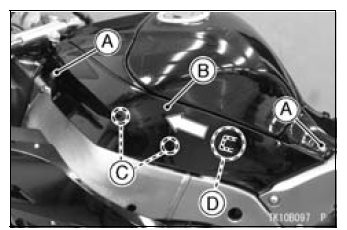
A. Bolts
B. Fuel Tank Side Cover
C. Projections
D. Tab
NOTE
On the left fuel tank side cover, pulling out it without disconnecting the connectors from the relay box.
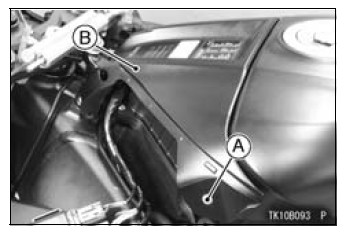
A. Bolts
B. Fuel Tank Front Cover
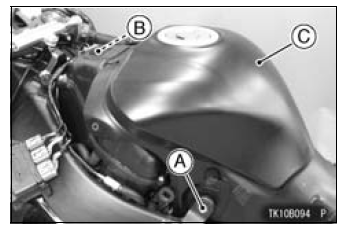
A. Bolts
B. Connector
C. Fuel Tank
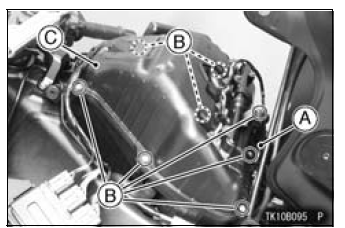
A. Connector Brackets
B. Screws
C. Air Cleaner Housing Cover
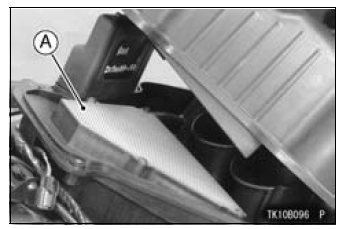
A. Air Cleaner Element
WARNING
|
NOTICE
If dirt gets through into the engine, excessive engine wear and possibly engine damage will occur.
Oil Draining
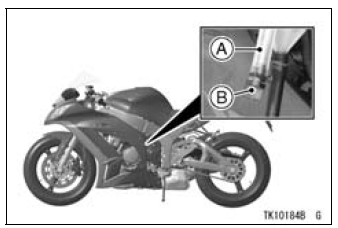
A. Transparent Hose
B. Plug
| WARNING Oil on tires will make them slippery and can cause an accident and injury. Be sure to install the plug in the drain hose after draining. |
 Exhaust Device
 Throttle Control System
Service Code Reading
The service code(s) is displayed on the LCD by the number
of two digits.
NOTE
The service code of the KIBS and ABS adds “b� at the
left side of the code.
The service code of the ESD adds “E� at the left side of
the code.
When there are a number of problems, all the serv ...
Oxygen Sensor Heater Resistance Inspection
Turn the ignition switch to OFF.
Remove the fuel tank (see Fuel Tank Removal in the Fuel
System (DFI) chapter).
Disconnect the oxygen sensor lead connector [A].
Connect a digital meter [A] to the terminals in the oxygen
sensor lead connector [B].
Measure the oxygen sensor heat ...
Air Intake Duct Assembly (US, CA and CAL Models)
Install the dampers [A] and seal [B] as shown in the figure.
Fit the holder [C] to the air intake ducts [D].
Projections [E] and Holes [F]
Grooves [G] and Ribs [H]
Tighten:
Torque - Air Intake Duct Assembly Screws [I]: 1.5 N·m (0.15
kgf·m, 13 in·lb)
Turn the plug [J] so that ...