
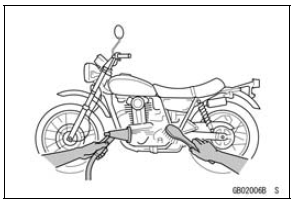
Clean the vehicle thoroughly before disassembly. Dirt or other foreign materials entering into sealed areas during vehicle disassembly can cause excessive wear and decrease performance of the vehicle.
Arrangement and Cleaning of Removed Parts
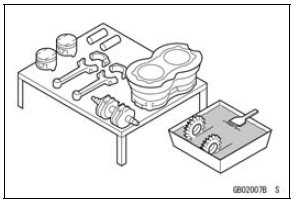
Disassembled parts are easy to confuse. Arrange the parts according to the order the parts were disassembled and clean the parts in order prior to assembly.
 Battery Ground
 Storage of Removed Parts
ESD (Electronic Steering Damper) ECU Error (Service Code E3b, ZX1000JD/KD)
If this service code appears, check that the following parts
are correctly.
Crankshaft Sensor
Gear Position Switch
Starter Lockout Switch
Main Throttle Sensor
Rear Wheel Rotation Sensor
If these parts are normal, check the ESD ECU for its
ground and power supply (see ESD ECU Power Supply
...
Crankcase Assembly
NOTICE
The upper and lower crankcase halves are machined
at the factory in the assembled state, so the
crankcase halves must be replaced as a set.
With a high flash-point solvent, clean off the mating surfaces
of the crankcase halves and wipe dry
WARNINGGasoline and low flash-poin ...
Special Tools and Sealant
Oil Pressure Gauge, 10 kgf/cm²:
57001-164
Oil Pressure Gauge Adapter, PT3/8:
57001-1233
Outside Circlip Pliers:
57001-144
Liquid Gasket, TB1211:
56019-120
...