
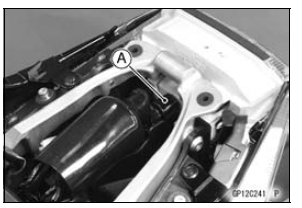
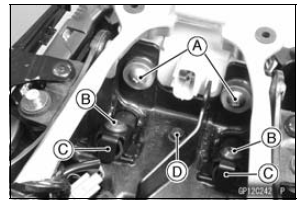
Bring down the rear fender rear [B] lightly to clear the hook [C] from the tail/brake light.
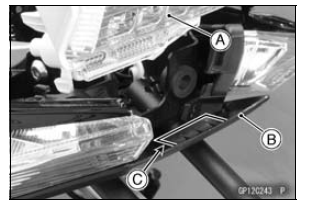
Fit the hook [A] to the tail/bake light.
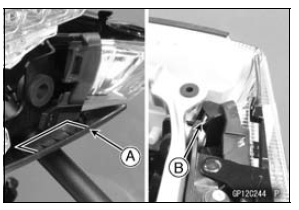
Fit the tab [B] of the tail/brake light as shown in the figure (both sides).
Tighten: Torque - Tail/Brake Light Mounting Screws: 1.2 N·m (0.12 kgf·m, 11 in·lb)
 City Light (LED) Removal/Installation
 License Plate Light Bulb Replacement
Spring Preload Adjustment
To adjust the spring preload, turn the spring preload adjuster
[A].
The standard adjuster setting is the 6 turns in from the
fully counterclockwise position.
WARNINGIf both adjusters are not adjusted
equally, handling
may be impaired and a hazardous condition may
result. B ...
Front Seat Installation
Installation is the reverse of removal. Note the following.
Check that the dampers [A] are in place on the front seat.
Install the collars [B] as shown in the figure.
Place the seat hooks [A] under the fuel tank bracket [B].
...
Multifunction Meter
A. Multifunction Display
Odometer
Trip Meters
Current Mileage
Average Mileage
Fuel consumption
Stop Watch
B. Speedometer
C. Gear Position Indicator
D. Power Mode Indicator
E. S-KTRC Mode Indicator
F. Warning Symbols
G. Lap Counter/Coolant /
Intake Air Temperature
Meter
...