
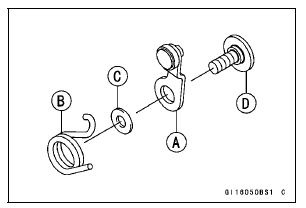
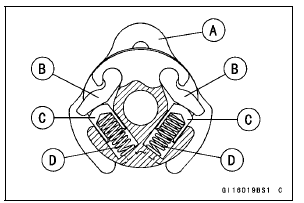
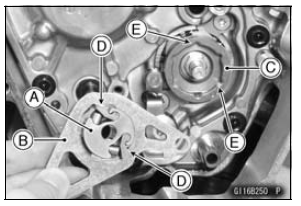
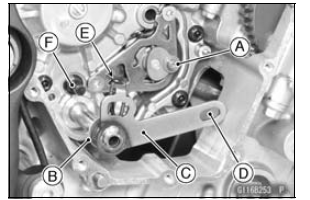
Fit the pawls [D] and the grooves [E].
Turn the shift ratchet assembly while pushing the pawls.
Tighten the lower bolt first, and then tighten the upper one.
Tighten the lower bolt first, and then tighten the upper one.
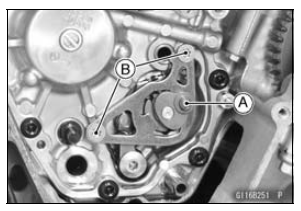
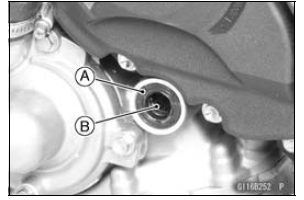
Special Tool - Outside Circlip Pliers: 57001-144
Fit the circlip into the groove of the shift shaft securely.
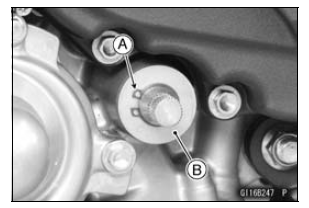
 External Shift Mechanism Removal
 External Shift Mechanism Inspection
Piston Removal
Remove:
Crankshaft (see Crankshaft Removal)
Remove the piston together with the connecting rod to the
cylinder head side.
NOTICE
Discard the connecting rod bolts and nuts. To prevent
damage to the crankpin surfaces, do not allow
the connecting rod bolts to bump against the
crankpins. ...
Wheel Rotation Sensor Air Gap Inspection
Raise the front/rear wheel off the ground (see Front/Rear
Wheel Removal in the Wheels/Tires chapter).
Measure the air gap between the sensor and sensor rotor
at several points by turning the wheel slowly.
Thickness Gauge [A]
Wheel Rotation Sensor Air Gap
Standard:
Front 0.4 1.6 mm ...
Current Mileage
This display mode shows the current
mileage by numerical value. The current
mileage display is renewed every
4 seconds.
A. Current Mileage
B. “km/L�
NOTE
The display unit modes can be
changed, refer to the “Unit Setting�
item in this section.
The numerical value shows “ ...